

Decide on Your Brand Voice, Colors, and Fonts

Summary
My goal with this training was to re-imagine the lead generation funnel course I created in Canva using Articulate Rise 360 and all of its capabilities.
The challenge was to create a training that engaged the learner with Rise 360's interactive elements, while still keeping the design clean and simple.
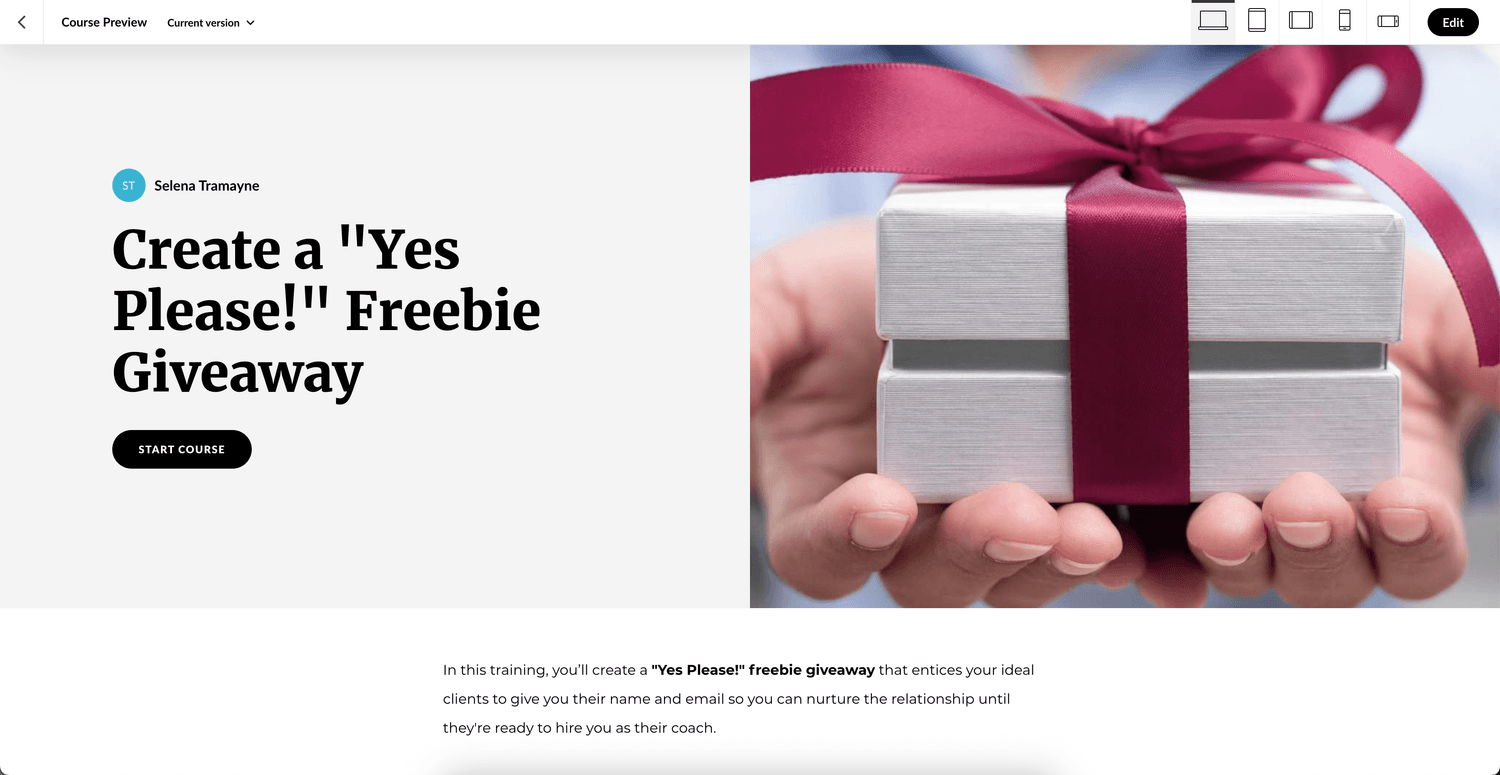
This example shows lesson one of the course, Decide on Your Brand Voice, Colors, and Fonts. It includes a variety of elements such as text, graphic elements, interactivity, and video.
Details
Type: Custom eLearning Development
Client: The Tramayne Group
Date: March 2025
Skills
Instructional Design
eLearning Development
AI Chat Prompting
Graphic Design
Video Editing
Tools
Notion. Needs analysis, outline and storyboard.
Miro. Action map.
Canva. Photos.
Claude 3.7 Sonnet. Idea generation and writing.
Descript. Video recording and editing.
Articulate Rise 360
The Design Process
Needs Analysis
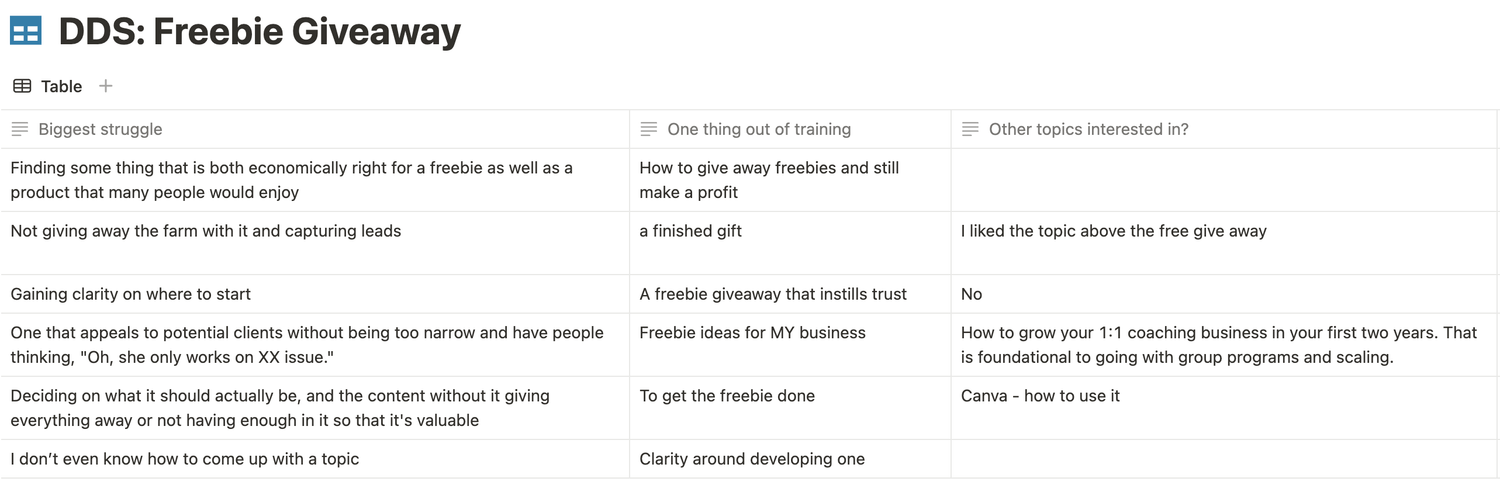
I used the same needs analysis I conducted with the Canva project, which included a survey to my email list and transcripts from my work with clients.
Action Map
The original Canva training was created before I began to study instructional and learning experience design. Through my study, I learned about the power of starting the process with an action map.
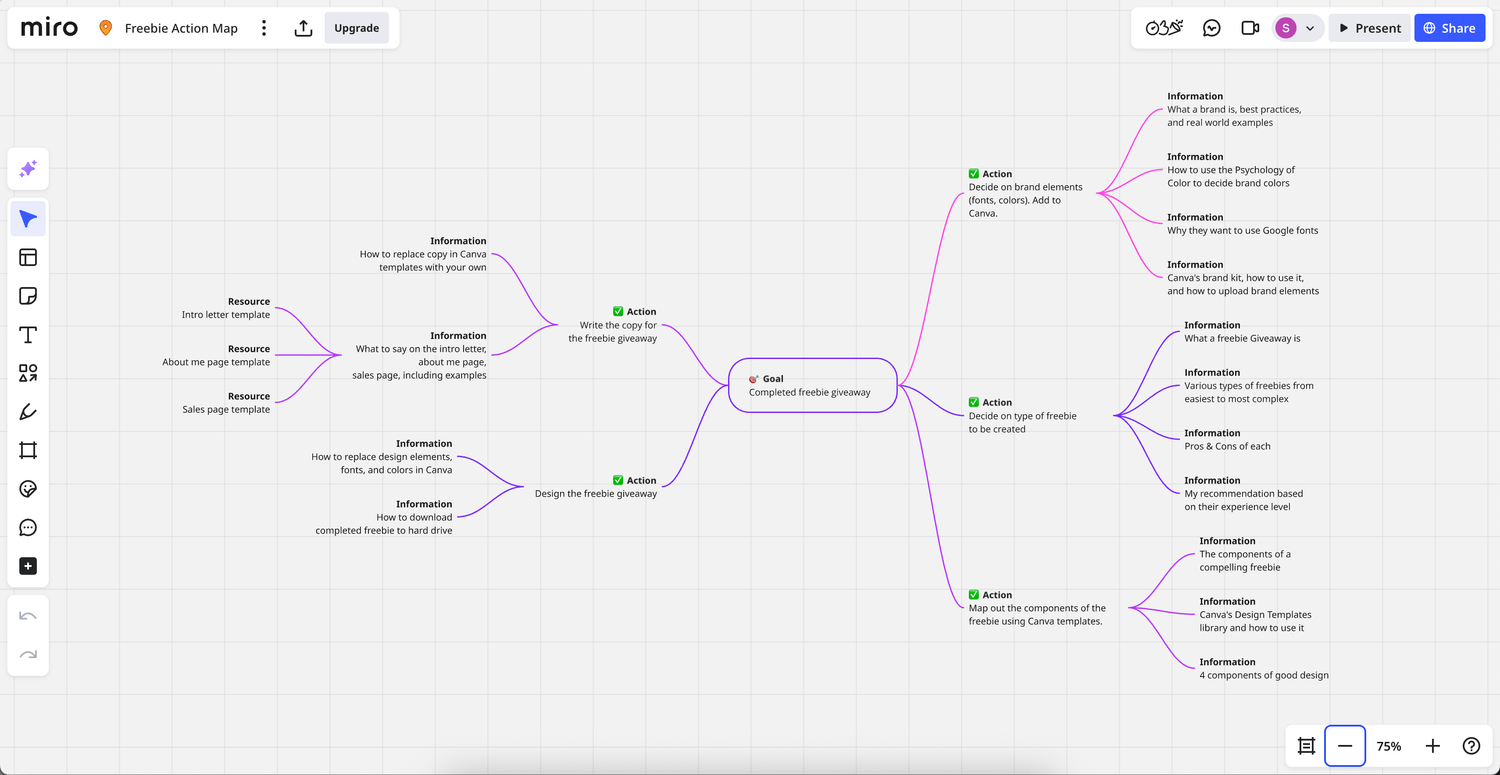
With this re-imagined training, I started with an action map in Miro. This allowed me to see the gaps in the Canva training.
For example, while creating the action map, I realized I needed to add a brand identity lesson before teaching the components of a freebie giveaway so the learners could use brand elements such as brand voice, colors, and fonts while designing their freebie giveaway. Thus, this became the first lesson in that module.
Outline, Storyboard, and AI
While I used the same outline and storyboard process I used in the Canva training, this time I added the help of Claude 3.7 Sonnet to make the ideation and writing process faster.
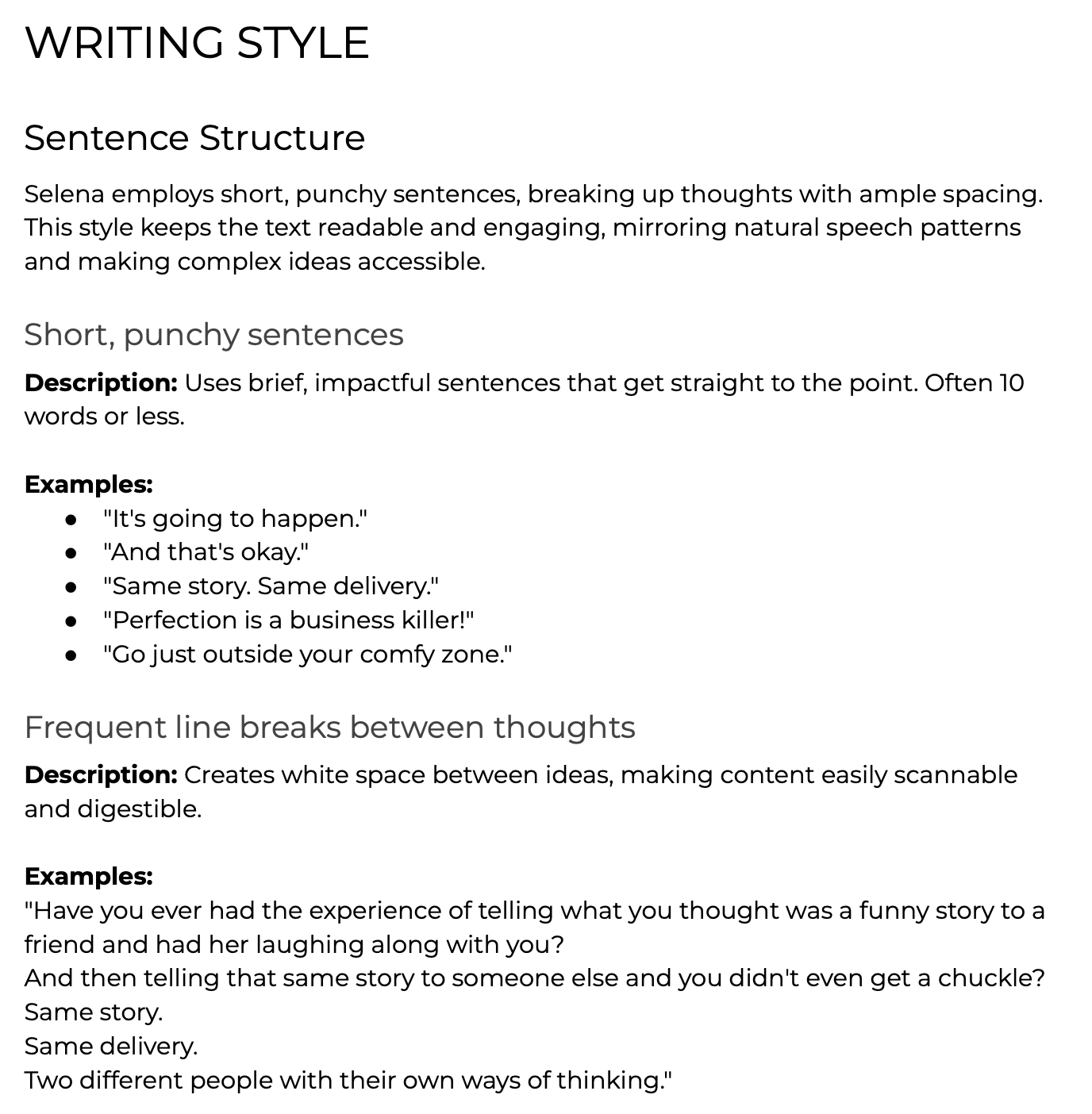
Using an app called Straico, which allows for the use of multiple AI models at once, I taught AI to write in my brand voice. I did this by feeding it multiple writing samples and having it create a writing style guide.
I then used this guide to help me write the content for the training in my voice. This dropped the amount of editing required because the writing was already quite close to how I would write it. Not perfect, but definitely closer.
Development
Finally, I developed this re-imagined training in Rise 360 for three reasons:
I learned that 100 of the Fortune 100 companies use Articulate 360.
I love the interactive elements that allow for more engagement with learners.
I like how simple and intuitive it is to use. I have extensive experience with block-based website builders, so getting up and running with Rise 360 took no time at all.
© Selena Tramayne